


Screenshots


About This App
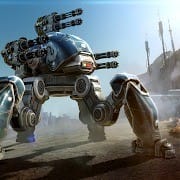
War Robots – multiplayer online shooting game, which aims to take control of a giant robot and fight on the battlefield with other users from all over the world. The single campaign is not here. The action begins with a hangar in which the player can first look at his robot. Also, after pressing the corresponding button, the game sends the user to a random fight, where he will have to learn the basics of management. War Robots is probably one of the biggest shooting games about giant robots that fits in your pocket. Join epic PvP battles against rivals from all over the world and show them who is the smartest, fastest and toughest driver!
FEATURES:
– Choose your fighter.
-️ Play the way you want.
– ️Customize.
-️ Battle together in multiplayer.
– Fight on your own.
– Explore the tradition.
Supported Android Versions:-
Jelly Bean(4.1-4.3.1)- KitKat (4.4-4.4.4)- Lollipop (5.0-5.0.2) – Marshmallow (6.0-6.0.1) – Nougat (7.0-7.1.1) – Oreo (8.0-8.1) – Pie (9.0) – Android 10 – Android 11
Download Links
Additional Information
Developer
MYGAMES MENA FZ LLC
Version
11.5.0
Release / Update Date
N/A
Rating
4.3
How to install War Robots Multiplayer Battles APK 11.5.0
War Robots Multiplayer Battles 11.5.0 is an Action game by MYGAMES MENA FZ LLC. The download file is War_Robots_v9.6.0_Mod.apk (121 MB). On Google Play the original War Robots Multiplayer Battles has a 4.3-star rating from 5.12M reviews and 100,000,000+ installs.
- Tap the first download link above to get
War_Robots_v9.6.0_Mod.apk(121 MB). - Make sure your phone has about 310 MB of free storage: Android needs extra room to unpack the 121 MB file during installation.
- Give your browser permission to install apps: Settings > Apps > Special app access > Install unknown apps > choose your browser > Allow.



























