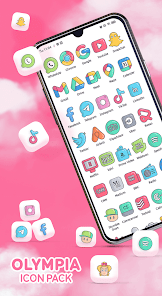
Screenshots


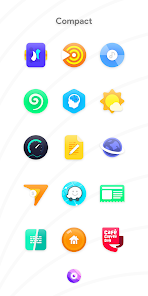


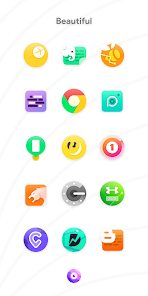

About This App
This excellent application allows you to modify your icons to be more beautiful and eye-catching. Besides, users are also allowed to request ten additional icons per week under different themes. These icons bring you more pleasant feelings, more fun with your minimalist and sophisticated screen. Moreover, you also have many attractive icons according to new themes. Say hello to Nebula Icon Pack! A set of simple yet sophisticated icons, with a splash of color!! Nebula icons will give you a nice and soothing feeling and you’ll love looking at your home screen!
Download Links
Mod Info
- patched
How to install Nebula Icon Pack MOD APK 8.0.4
Nebula Icon Pack 8.0.4 is a Personalization app by Stark Designs, and this MOD version comes with patched. The download file is Nebula-Icon-Pack-mod-apk-Patched-v7.2.7.apk (85 MB). On Google Play the original Nebula Icon Pack has a 4.7-star rating from 604 reviews and 10,000+ installs.
- Tap the first download link above to get
Nebula-Icon-Pack-mod-apk-Patched-v7.2.7.apk(85 MB). - Make sure your phone has about 220 MB of free storage: Android needs extra room to unpack the 85 MB file during installation.
- If the original Nebula Icon Pack from Google Play is installed (
com.stark.nebula), uninstall it first. The MOD uses the same package name but a different signature, so Android will not install it over the original.