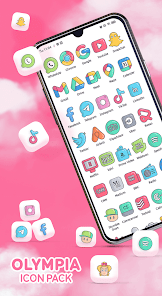
Screenshots




About This App
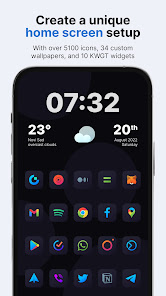
Nova Dark Icon Pack brings you tons of cool and attractive icon packs created from colorful letters on simple backgrounds. Nova Dark Icon Pack is an icon pack made of colorful glyphs on a dark rounded square background. It fits perfectly on dark and amoled walls, but also on light ones, so it can be applied to any theme or setting you want. You can configure them with the themes you want. The application will have its own software that will generate the list of requested icons from all user requests.
FEATURES:
– Icon resolution: 192 x 192 px
– Suitable for light, dark and cool wallpapers and themes
– Alternative icons for many popular apps
– Dynamic calendar icon
– Masking of non-themed icons
– Folder icons (you need to apply them manually)
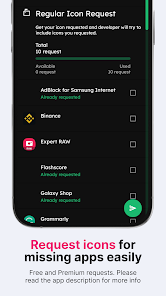
– Tap to send icon requests (free and premium)
– Cloud wallpapers
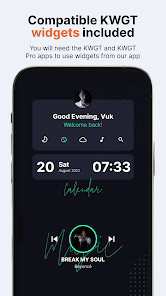
– KWGT Widgets
Supported Android Versions:-
Jelly Bean(4.1-4.3.1)- KitKat (4.4-4.4.4)- Lollipop (5.0-5.0.2) – Marshmallow (6.0-6.0.1) – Nougat (7.0-7.1.1) – Oreo (8.0-8.1) – Pie (9.0) – Android 10 – Android 11
Download Links
Mod Info
- Full Version
Additional Information
Developer
One4Studio
Version
7.2.0
Release / Update Date
Mar 12, 2026
Rating
4.7
How to install Nova Dark Icon Pack MOD APK 7.2.0
Nova Dark Icon Pack 7.2.0 is a Personalization app by One4Studio, and this MOD version comes with Full Version. The download file is Nova-Dark-Icon-Pack-7.2.0-MOD-APK-Full-Version.apk (62 MB) and runs on Android 8.0 or newer. On Google Play the original Nova Dark Icon Pack has a 4.7-star rating from 620 reviews and 10,000+ installs.
- Tap the first download link above to get
Nova-Dark-Icon-Pack-7.2.0-MOD-APK-Full-Version.apk(62 MB). - Make sure your phone has about 160 MB of free storage: Android needs extra room to unpack the 62 MB file during installation.
- If the original Nova Dark Icon Pack from Google Play is installed (
cs14.pixelperfect.iconpack.novadark), uninstall it first. The MOD uses the same package name but a different signature, so Android will not install it over the original.