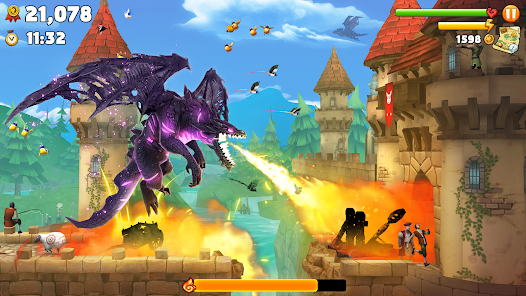
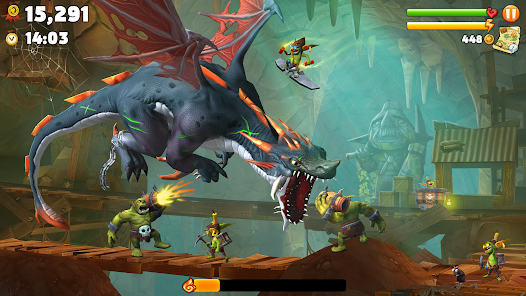
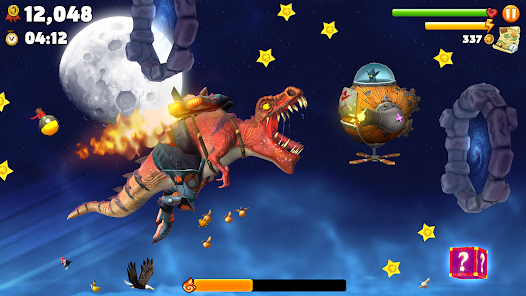
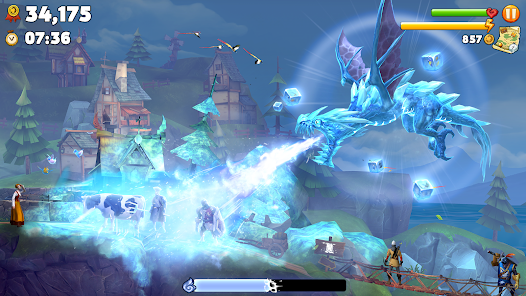
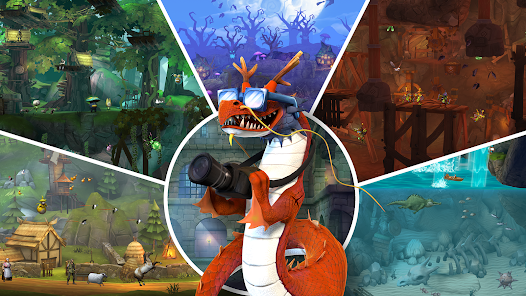
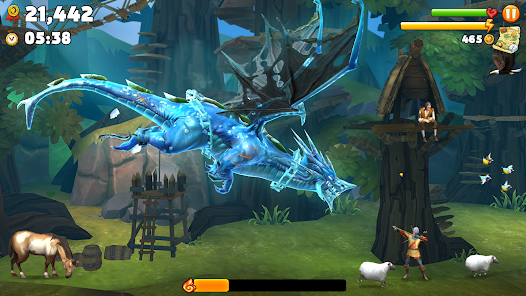
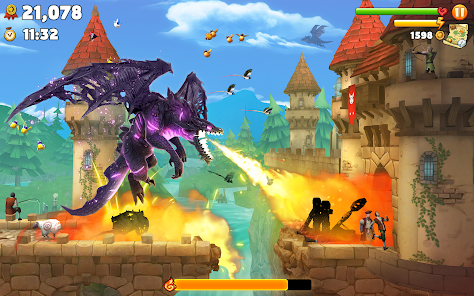
Hungry Dragon – a colorful arcade game where you have to control the dragon. The fire-breathing lizard was very hungry and went in search of food. It will eat everything in its path, simultaneously destroying towns and their inhabitants, soldiers and various creatures. Destroying settlements, forests, caves and underground mines, the hero will satisfy your hunger. Unleash a fiery fury from above in Hungry Dragon, a fun and fast-paced flying action game where everything and everyone is on the menu! Control ferocious dragons and fly, burn and devour in a medieval world filled with legends, monsters and deliciously unsuspecting prey!
Control a hungry dragon:
One of the features that sets Hungry Dragon apart from other games in its genre is the amazing graphics that you won’t see in any other score game. 3D character design and cheerful and bright colors make it extremely beautiful. Moreover, special effects such as fire and explosion are also at their best and challenge your hardware.
Eating humans and animals:
This game puts you in the role of a cute little dragon who has to eat different things. You are as big as a bird and can devour smaller birds, fish, spiders and other creatures you find in the environment. As you progress through the game, you’ll also discover the ability to eat humans, which of course will require a few bites to swallow.
Simple and optimized controls:
The controls to fly and guide the dragon in Hungry Dragon are extremely smooth and easy. You won’t have any problems or bugs getting it up and down. In addition, the repetitive gameplay of the game is so addictive that after only a few minutes of experience, you can quickly get involved and never want to let go. For this reason, we recommend experiencing this game.
Download game Hungry Dragon for Android:
There are many games that are not categorized into a specific genre and have their own formula. One such formula is games that put you in the role of a creature that must eat as many different things as possible to earn points and set records. The game Hungry Dragon is one of these works, which of course has new words outside of this formula. Hungry Dragon is a casual and scoring game. You have to take control of a little dragon that eats different things. Over time you will see it get bigger and therefore you will have to eat bigger creatures like humans. So don’t miss the experience of this addictive and highly entertaining game.
Features of the game Hungry Dragon:
– Addictive and fun gameplay
– Fantastic and eye-catching graphics
– The presence of different prey
– The dragon grows bigger over time
– Ability to publish various features
– Millions of fiercely loyal fans
– Unlock crazy costumes to fly faster, burn more and eat more
– Equip exotic pets and strange creatures to increase your power
– Level up and train by feasting on townspeople, monsters and other delicious treats
– Fly, explore and destroy a world of villages, forests, hills and Goblin City!
– Go through obstacles to access hidden areas in the world
– Feed more to get a higher score. Hungry dragons are never satisfied!
– Enjoy a BBQ spree in a huge epic 3D free-roam world
– Activate Fire Rush and unleash hell by incinerating everything in your path!
– Host a medieval feast of monsters, soldiers, trolls, witches and much more
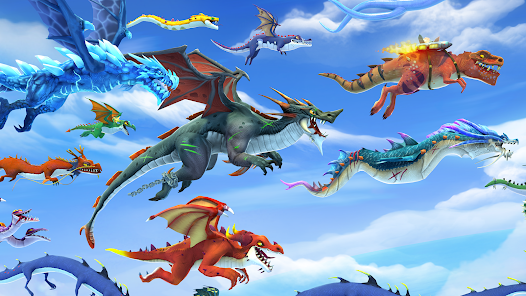
– Evolve and train legendary dragons: strange hybrid monsters and dinosaurs.
– Unlock epic powerups: the more you train, the crazier the powerup!
– Become a legend by competing in legendary leagues to defeat friends and foes!
Hungry Dragon 5.5 is an Action game by Ubisoft Entertainment, and this MOD version comes with money. The download file is Hungry-Dragon-mod-apk-Unlimited-Money-5.2.apk. On Google Play the original Hungry Dragon has a 4.5-star rating from 367K reviews and 10,000,000+ installs.
1Download Hungry Dragon 5.5 from the list above.
2If the original Hungry Dragon from Google Play is installed (com.ubisoft.hungrydragon), uninstall it first. The MOD uses the same package name but a different signature, so Android will not install it over the original. Before uninstalling, link your Hungry Dragon progress to Google Play Games or the account option in the game settings so you can restore it.
3Give your browser permission to install apps: Settings > Apps > Special app access > Install unknown apps > choose your browser > Allow.
4Open Hungry-Dragon-mod-apk-Unlimited-Money-5.2.apk, tap Install and launch Hungry Dragon - money is already included.
Hungry Dragon MOD APK: frequently asked questions
What does the Hungry Dragon MOD unlock?
Hungry Dragon 5.5 on AN1 includes: money.
Is Hungry Dragon MOD APK safe?
Android shows an "unknown sources" warning for any app installed outside Google Play, including Hungry-Dragon-mod-apk-Unlimited-Money-5.2.apk; that is expected. After installing, you can scan it with Google Play Protect (Play Store > profile icon > Play Protect).
Is Hungry Dragon MOD APK free?
Yes, downloading Hungry Dragon 5.5 on AN1 is free.
How do I update Hungry Dragon?
This page has version 5.5. When a newer Hungry Dragon MOD is published here, install it over the old one. Do not update from Google Play: that replaces the MOD with the original game. If Android refuses the update, uninstall the old version first.
Who makes Hungry Dragon?
Hungry Dragon is developed by Ubisoft Entertainment (package com.ubisoft.hungrydragon). MOD versions are made by third parties and are not affiliated with or supported by the original developer.