Screenshots


About This App
Description:
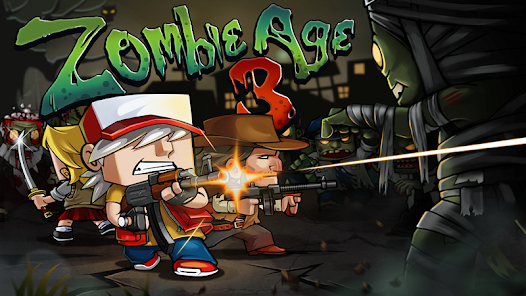
The incredible Zombie Age series returns with more wild zombies, deadly weapons and unique heroes. Enjoy the slaughter of zombies in your own style. And if you are going to be looking for a great zombie shooter then look no further!
So you’re still alive … Congratulations! … But how long when you are absolutely outnumbered? What are you ready to do? … Continue playing as a lonely hero killing all dead on the road? Trust me, you won’t last two days! It’s no longer about surviving in a zombie apocalypse, it’s about winning this war.
FEATURES
– Enjoy zombie slaughter in many different ways
– Play together with your friends
– 30+ deadly weapons at your disposal
– Over 20 characters with unique development abilities
– 10+ different zombies and terrible bosses
– Up to 10 game modes with extremely difficult boss battles
Supported Android Versions:-
Jelly Bean(4.1–4.3.1)- KitKat (4.4–4.4.4)- Lollipop (5.0–5.0.2) – Marshmallow (6.0 – 6.0.1) – Nougat (7.0 – 7.1.1) – Oreo (8.0-8.1) – Pie (9.0)
Download Links
Mod Info
- Unlimited Money
- Unlimited Ammo
Additional Information
Developer
RedAntz
Version
2.4.9
Release / Update Date
Apr 12, 2026
Rating
4.6
How to install Zombie Age 3 Shooting Walking Zombie Dead City MOD APK 2.4.9
Zombie Age 3 Shooting Walking Zombie Dead City 2.4.9 is an Action game by RedAntz, and this MOD version comes with Unlimited Money, Unlimited Ammo. The download file is Zombie-Age-3-2.4.8-MOD-APK-Unlimited-Money-Ammo.apk (65 MB). On Google Play the original Zombie Age 3 Shooting Walking Zombie Dead City has a 4.6-star rating from 446K reviews and 10,000,000+ installs.
- Start the download of
Zombie-Age-3-2.4.8-MOD-APK-Unlimited-Money-Ammo.apkusing the button above (65 MB). - Make sure your phone has about 170 MB of free storage: Android needs extra room to unpack the 65 MB file during installation.
- If the original Zombie Age 3 Shooting Walking Zombie Dead City from Google Play is installed (
com.redantz.game.zombie3), uninstall it first. The MOD uses the same package name but a different signature, so Android will not install it over the original. Before uninstalling, link your Zombie Age 3 Shooting Walking Zombie Dead City progress to Google Play Games or the account option in the game settings so you can restore it.