VivaCut (MOD, Pro Unlocked) is a tool to help you realize many ideas with various features, awesome effects and even green screen. Video editing apps are no longer an unknown factor for many people in the current era of technological development. Multi-layer timeline, chroma key and green screen features to help you create cinematic videos with music for YouTube, Instagram and TikTok. It completely meets the needs of the users when the video becomes completely popular on many different platforms.
Therefore, creating a video as you like is no longer too complicated for users to do on their phones. If you love creativity and want to enjoy the convenience of your phone, you can’t miss VivaCut. One of the most commonly used startup tools by smart device users is editing tools, which can be used to make any changes to a group of files. These programs are created and published specifically for each type of file. Videos are among the files that are heavily modified and transformed by users and thus various software have been published in this field.
How it works?
For those of you who want to add some level of aesthetic elements to their recorded videos and clips, you can always have fun with this awesome mobile video editing app from VivaCut. Feel free to experience the amazing features by delivering brilliant works of art to your videos by adding dozens of cinematic visual effects, changing multiple blending options, and more. Also, the app provides a number of tools to split, cut and embed videos together. Start by selecting them from the library, then sort and set the display duration for each video. Of course, this is not enough to publish. Tweak your brightness, contrast, and saturation a bit through the setting.
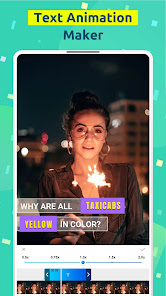
VivaCut – Pro Video Editor PRO is a special and professional Android video editing app developed by VivaCut professional video editor and published on Google Play. Create your own video stories using a multi-layered timeline and a variety of advanced editing options. To have special videos, you can cut and change them in a special way by adding various different things. As you can see from the developer description, one of the biggest features used in this starter is to add text with different styles and different labels, giving you a new experience. Multiply the appeal of movies with transition effects and draw everyone into your videos. If you are not satisfied with the default sound of the videos, the existing powerful system allows you to put any kind of soundtrack to your clips.
FEATURES of VivaCut Pro MOD APK :
– Green Screen/Chroma Key Combine/mix videos like a Hollywood-level movie.
– Keyframe animation Apply to mask, video collage, text, stickers, emoji, etc.
– Linear, mirror, radial, rectangle and oval masks, everything for the stage.
– Music Marker Mark the track and add effects according to the beat of the music.
– Audio Extraction Aesthetic video editor with transition effects
– Edit text, duplicate and edit styles
– Video Adjustment Control brightness, contrast, saturation, hue, color temperature
– Filters Edit videos/combine video clips with adjustable filters and effects.
– Glitch Effects The coolest video editing app with glitch effects and transitions!
– Trim videos Professional tools developed for precise video editing application
– Split videos Split videos and optimize for sharing
– Combine video clips Merge clips into one stunning video with transition effects, combine video clips into one video.
– Speed Control Fast and Slow Motion Video like a pro, only with VivaCut Video – Pro Video Editing App!
– Picture in Picture Combine clips together to create eye-catching double exposures and YouTube videos with transitions for free.
– Collage Add images to your clips and edit videos then go viral with VivaCut!
– Layering options Customize layers with tools like opacity and blending.
– Mix videos Mix videos try powerful blend modes like Color Burn
– Slideshow Pro Aesthetic Video Editor app helps you tell a story with pictures and music.
– Custom video resolution Export videos in 720p, 1080p and 4k
– Multi-layered timeline for smart and precise editing
– Add text to your videos with a variety of styles and tools
– Transfer mode to increase the attractiveness of clips
– Adjusting video dimensions for your own clips on social media
– Unique filters to create special effects in videos.
– Putting the desired soundtrack to your videos
– Editing and cutting the desired parts
– The ability to split videos for easy uploading to social media
– Merge several different clips together
– Smart and useful video collage maker
– Customize layers with tools like opacity and blending
– Making attractive videos with images and soundtrack
– Save videos with the resolution you want Supported Android Versions:-
Jelly Bean(4.1-4.3.1)- KitKat (4.4-4.4.4)- Lollipop (5.0-5.0.2) – Marshmallow (6.0-6.0.1) – Nougat (7.0-7.1.1) – Oreo (8.0-8.1) – Pie (9.0) – Android 10 – Android 11
VivaCut Pro Video Editor MOD Features:
– Pro Features Unlocked
– Unlocked 2k and 4k Exports
– All Filters Unlocked (No Need to Share)
– Analytics Disabled
– Single Package Apk (No SAI Needed)
VivaCut Pro MOD APK v3.8.0 Unlocked all filters Free Download for Android
VivaCut 8.0 is a Video Players & Editors app, and this MOD version comes with VIP Unlocked, pro. The download file is VivaCut.
1Tap the first download link above to get VivaCut.
2If the original VivaCut from Google Play is installed (com.videoeditorpro.android), uninstall it first. The MOD uses the same package name but a different signature, so Android will not install it over the original.
3Allow the installation: Settings > Apps > Special app access > Install unknown apps, then enable it for your browser or file manager.
4Open VivaCut, tap Install and launch VivaCut - VIP Unlocked and pro are already included.
VivaCut MOD APK: frequently asked questions
What does the VivaCut MOD unlock?
VivaCut 8.0 on AN1 includes: VIP Unlocked, pro.
Is VivaCut MOD APK safe?
Android shows an "unknown sources" warning for any app installed outside Google Play, including VivaCut; that is expected. After installing, you can scan it with Google Play Protect (Play Store > profile icon > Play Protect).
Is VivaCut MOD APK free?
Yes, downloading VivaCut 8.0 on AN1 is free.
How do I update VivaCut?
This page has version 8.0. When a newer VivaCut MOD is published here, install it over the old one. Do not update from Google Play: that replaces the MOD with the original app. If Android refuses the update, uninstall the old version first.
Can I download an older version of VivaCut?
Yes, 2 versions of VivaCut are listed above, so you can install an older one if version 8.0 does not work on your device.
Who makes VivaCut?
MOD versions are made by third parties and are not affiliated with or supported by the original developer.