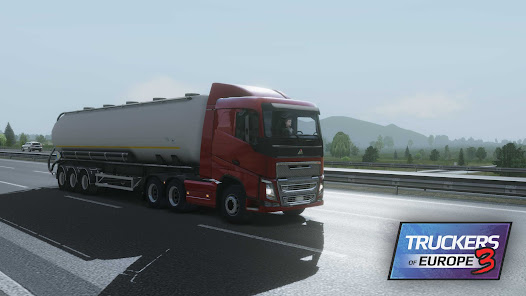
Truckers of Europe 3 is a truck driving simulation game where you will spend time completing the requests you have received. Each request will direct you to an awesome place and it will take time to get there. At the same time, there will be a lot of things that you can unlock within this game and especially experience the new trucks. Truckers of Europe 3 features many European trucks with many chassis configurations, customizations, and cosmetics.
Truckers of Europe 3 – Truckers of Europe 3 is the third game in the Truckers of Europe game series in the style of a realistic driving simulator, which is free to play but with in-app payments for Android devices and available on Google Play is available to users all over the world. This game was developed by the Wanda Software studio in Turkey. This studio had already designed and released two other parts of this series, and now, in the second half of 2022, it has also developed the third part of this franchise.
This game company works exclusively on the development of these games and although it is unknown compared to many other similar companies, it has a unique performance and the games published by this studio are at a very high level. . The interesting thing that we see in the Truckers of Europe series of games is the upward trend of game progress in various sections. Although the first two versions had very good features in terms of design and graphics, the third part has gone further and presents modern and striking graphics.
Truckers of Europe 3 is a complete truck driving simulator. As you can guess from the name of the game, you are in the role of expert drivers in European countries whose task is to transport different things from one point to another. In the construction and development of this title, efforts have been made to recreate in the best way all the necessary elements for a simulation game. In this game, there are 7 different types of vehicles in 4×2, 6×2, 6×2/2, 6×2 Midlift, 6×2 Taglift, 6×4, 8×4 classes, all of them based on the models made and modeled by Real.
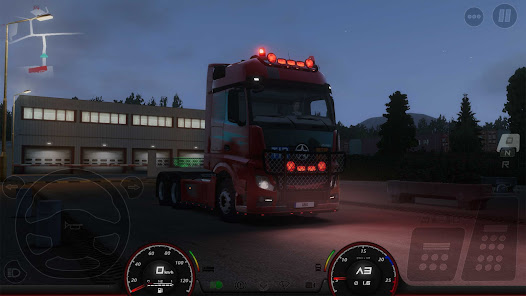
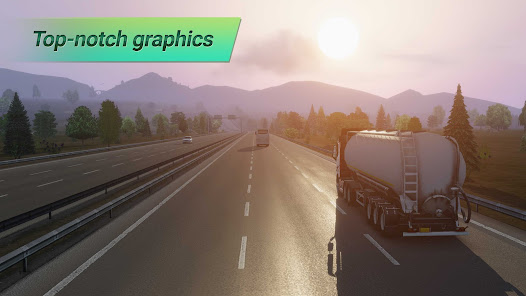
You have to complete your mission in each stage of the Truckers of Europe 3 game by following all the rules. The graphics of the game are extremely attractive and worked, and in this title it is a completely console graphic. The details of the designs are exemplary and the attention to the smallest elements has made Truckers of Europe 3 one of the best games not only in the simulation genre, but also one of the best mobile games. The day and night system, the weather conditions and even the dirt and dirt of the trucks are designed in the best possible way.
You can change the camera view from several different modes and 360 degrees. Multiple mechanisms and the game’s advanced artificial intelligence make everything natural and realistic during your movements along the way. The lights, the physics of the movements and the sounds of the game are presented at a very professional level so that you have one of the best experiences in this style of games.
FEATURES:
– Realistic truck physics
– 7 different trucks with all available chassis
– 25 trailers and many cargo options.
– Heavy loads
– Realistic engine sounds
– Realistic interiors
– AI smart traffic system
– Drive on rural roads and highways.
– Realistic weather conditions
– Day and night cycle
– Damage and fuel consumption
– Easy controls
– Achievements and leaderboards
– Excellent HD graphics and optimizations
Truckers of Europe 3 0.6.2 is a Simulation game by Wanda Software, and this MOD version comes with Unlimited Money. The download file is Truckers-of-Europe-3-mod-apk-Unlimited-Money-0.46.2.apk. On Google Play the original Truckers of Europe 3 has a 4.3-star rating from 568K reviews and 50,000,000+ installs.
1Download Truckers of Europe 3 0.6.2 from the list above.
2If the original Truckers of Europe 3 from Google Play is installed (com.WandaSoftware.TruckersofEurope3), uninstall it first. The MOD uses the same package name but a different signature, so Android will not install it over the original. Before uninstalling, link your Truckers of Europe 3 progress to Google Play Games or the account option in the game settings so you can restore it.
3Give your browser permission to install apps: Settings > Apps > Special app access > Install unknown apps > choose your browser > Allow.
4Open Truckers-of-Europe-3-mod-apk-Unlimited-Money-0.46.2.apk, tap Install and launch Truckers of Europe 3 - Unlimited Money is already included.
Truckers of Europe 3 MOD APK: frequently asked questions
What does the Truckers of Europe 3 MOD unlock?
Truckers of Europe 3 0.6.2 on AN1 includes: Unlimited Money.
Is Truckers of Europe 3 MOD APK safe?
Android shows an "unknown sources" warning for any app installed outside Google Play, including Truckers-of-Europe-3-mod-apk-Unlimited-Money-0.46.2.apk; that is expected. After installing, you can scan it with Google Play Protect (Play Store > profile icon > Play Protect).
Is Truckers of Europe 3 MOD APK free?
Yes, downloading Truckers of Europe 3 0.6.2 on AN1 is free.
How do I update Truckers of Europe 3?
This page has version 0.6.2. When a newer Truckers of Europe 3 MOD is published here, install it over the old one. Do not update from Google Play: that replaces the MOD with the original game. If Android refuses the update, uninstall the old version first.
Who makes Truckers of Europe 3?
Truckers of Europe 3 is developed by Wanda Software (package com.WandaSoftware.TruckersofEurope3). MOD versions are made by third parties and are not affiliated with or supported by the original developer.