


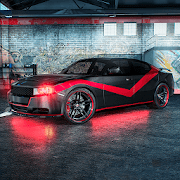
Screenshots

About This App
Description:
Dominate your crazy criminals in extreme drag-to-head races!
* Choose from 69 cars: stock rides, dragsters and police vehicles
* Let your creativity flow through a myriad of tuning and customization options
* Drive in 5 city districts, each with its own unique theme and gang team
* Aircraft carrier inspired by real life in which to race
* Epic arcade game modes
* Adrenaline causing police chases in Most Wanted
* Amazing 3D HD visualizations
Achieve impossible speeds thanks to a professional sense of gear changes and nitro explosions
Top Speed sets a new standard in the drag racing genre. Ever wanted to take part in underground races against unpredictable mafia mafias? Drive luxury cars of the highest class and show everyone who rules here? Jump behind the wheel and get ready to catch your breath when you press this nitro button.
Supported Android Versions:-
Jelly Bean(4.1–4.3.1)- KitKat (4.4–4.4.4)- Lollipop (5.0–5.0.2) – Marshmallow (6.0 – 6.0.1) – Nougat (7.0 – 7.1.1) – Oreo (8.0-8.1) – Pie (9.0)
Download Links
How to install Top Speed Drag & Fast Racing MOD APK 1.32.0
Top Speed Drag & Fast Racing 1.32.0 is a Racing game. The download file is top-speed-drag-fast-racing-v1.09-mod.apk (103 MB).
- Download Top Speed Drag & Fast Racing 1.32.0 from the list above - the file is 103 MB.
- Make sure your phone has about 260 MB of free storage: Android needs extra room to unpack the 103 MB file during installation.
- If the original Top Speed Drag & Fast Racing from Google Play is installed (
com.tbegames.and.top_speed_racing), uninstall it first. The MOD uses the same package name but a different signature, so Android will not install it over the original. Before uninstalling, link your Top Speed Drag & Fast Racing progress to Google Play Games or the account option in the game settings so you can restore it.
























