


Screenshots






About This App
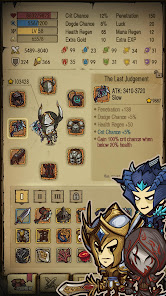
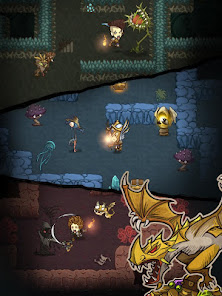
The Greedy Cave – RPG, telling the user in a fantasy world. In this game, you take control of a hero who went deep into the dungeons to find treasures and amazing values. Many knights, peasants and other people want to get a lot of gold to get rich. Even kings want to get the coveted trophies. Our story begins in a remote kingdom to the north, Iblis, a dark and often forgotten place. It is a wild and arid land, a place where its people live off the land, extracting minerals for the lords of the south. Sometimes the adventurers spent the night but they never lingered. Until one day, a rookie adventurer got lost and stumbled into a hole.
Download Links
Additional Information
Developer
Avalon-Games
Version
6.0.1
Release / Update Date
N/A
Rating
3.3
How to install The Greedy Cave MOD APK 6.0.1
The Greedy Cave 6.0.1 is a Role Playing game by Avalon-Games. The download file is The-Greedy-Cave-mod-apk-Unlimited-Money-4.0.23.apk (316 MB). On Google Play the original The Greedy Cave has a 3.3-star rating from 71.7K reviews and 1,000,000+ installs.
- Start the download of
The-Greedy-Cave-mod-apk-Unlimited-Money-4.0.23.apkusing the button above (316 MB). - Make sure your phone has about 790 MB of free storage: Android needs extra room to unpack the 316 MB file during installation.
- If the original The Greedy Cave from Google Play is installed (
com.avalon.cave), uninstall it first. The MOD uses the same package name but a different signature, so Android will not install it over the original. Before uninstalling, link your The Greedy Cave progress to Google Play Games or the account option in the game settings so you can restore it.



























