The Elder Scrolls Blades MOD APK 1.26.0.3237615 Menu/God Mode, One Hit
Bethesda Softworks LLC
 हिन्दी
Hindi
 Русский
Russian
 Bahasa Indonesia
Indonesian
 Tiếng Việt
Vietnamese
 Português
Portuguese
 Türkçe
Turkish
 Español
Spanish
 اردو
Urdu
 বাংলা
Bengali
 فارسی
Persian
 Українська
Ukrainian
 ภาษาไทย
Thai
 العربية
Arabic
 Polski
Polish
 Français
French
 Deutsch
German
 Italiano
Italian
 Bahasa Melayu
Malay
 日本語
Japanese
 中文
Chinese
 Tagalog
 Nederlands
Dutch
 Română
Romanian
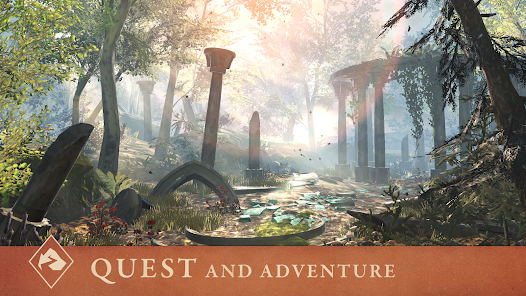


The Elder Scrolls: Blades – the famous fantasy RPG now on Android devices. The player will enter a dangerous world full of magic and terrible monsters. The user will take on the role of one of the secret warriors of the Empire, who went home to protect your city from monsters and try to restore it. Let this character perform dangerous tasks on the verge of suicide. The Blades, the main agents of the Empire, are forced into exile. On the run, you return to your hometown to find it destroyed. FEATURES: – QUEST and Experience awesome dungeon adventures. – CREATE and customize your city, returning it to its greatness. – CONQUER your friends and rivals in epic one-on-one Arena battles. – CREATE any character you want and discover unique weapons, armor and abilities. – DOMINATE the endless abyss with a state-of-the-art combat system. Supported Android Versions:- Jelly Bean(4.1-4.3.1)- KitKat (4.4-4.4.4)- Lollipop (5.0-5.0.2) – Marshmallow (6.0-6.0.1) – Nougat (7.0-7.1.1) – Oreo (8.0-8.1) – Pie (9.0) – Android 10 – Android 11
The Elder Scrolls Blades 1.31.0.3481802 is a Role Playing game by Bethesda Softworks LLC, and this MOD version comes with God Mode, Menu. The download file is The-Elder-Scrolls-Blades-1.17.0.1717027.apk (92 MB). On Google Play the original The Elder Scrolls Blades has a 4.3-star rating from 137K reviews and 5,000,000+ installs.
The-Elder-Scrolls-Blades-1.17.0.1717027.apk using the button above (92 MB).com.bethsoft.blade), uninstall it first. The MOD uses the same package name but a different signature, so Android will not install it over the original. Before uninstalling, link your The Elder Scrolls Blades progress to Google Play Games or the account option in the game settings so you can restore it.