Screenshots


About This App
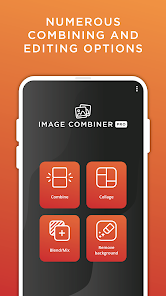
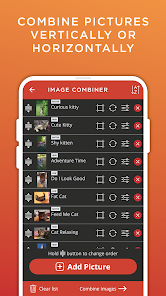
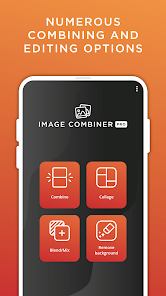
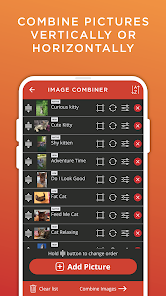
Image Combiner is a simple photo collage app that selects the best photos to combine them into an artistic image. Image Combiner is the simplest and most intuitive app to combine multiple images into one easily shareable image. Just add some images, select the layout, and you’re good to go! Collage and photo editing are no longer strangers to everyone, and it has become an indispensable necessity, especially for young people. Design unique photos by combining photos to create vivid and eye-catching effects that draw viewers in. To have the best photos and know how to take photos, you also have to know how to edit and combine photos to create unique photos. FEATURES: – Merge/merge multiple images vertically or horizontally – Combine multiple images into a collage – 12 different collage layouts – Easy sorting by name – Share or save the created images – Full control over image quality. – Crop selected images – Different image adjustment options to combine images of different sizes – Light and easy to use – Nice design Supported Android Versions:- Jelly Bean(4.1-4.3.1)- KitKat (4.4-4.4.4)- Lollipop (5.0-5.0.2) – Marshmallow (6.0-6.0.1) – Nougat (7.0-7.1.1) – Oreo (8.0-8.1) – Pie (9.0) – Android 10 – Android 11
Download Links
Mod Info
- No Ads
How to install Image Combiner MOD APK 2.0709
Image Combiner 2.0709 is a Photography app by ZomboDroid, and this MOD version comes with No Ads. The download file is Image-Combiner-APK-MOD-Optimized-No-ADS-2.0618.apk. On Google Play the original Image Combiner has a 3.3-star rating from 14.9K reviews and 1,000,000+ installs.
- Tap the first download link above to get
Image-Combiner-APK-MOD-Optimized-No-ADS-2.0618.apk. - If the original Image Combiner from Google Play is installed (
com.zombodroid.imagecombinerfree), uninstall it first. The MOD uses the same package name but a different signature, so Android will not install it over the original. - Give your browser permission to install apps: Settings > Apps > Special app access > Install unknown apps > choose your browser > Allow.