Screenshots



About This App
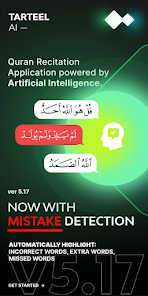
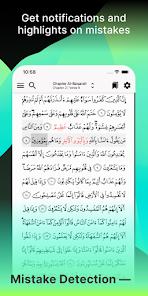
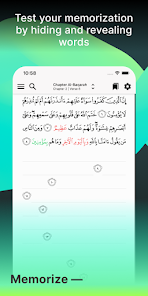
Tarteel uses your recitation data to generate personalized memorization plans tailored to your needs. The smart assistant tracks the verses you’re struggling with and creates focused review activities. Receive recommendations on areas to improve and verses to revise. Tarteel organizes a learning trip adapted to your skills, keeping motivation high. As a complement to the AI assistant, Tarteel Premium offers useful memorization functions to aid retention. Study mode hides verses and highlights their recitation to test your knowledge. Get real-time feedback on errors for efficient review. Track progress against memorization goals. With Tarteel study tools, active memory strengthens your hifz.
Mod Info
- Premium Unlocked
How to install Tarteel Quran Memorization MOD APK 5.68.2
Tarteel Quran Memorization 5.68.2 is a Books & Reference app by Tarteel Inc., and this MOD version comes with Premium Unlocked. The download file is Tarteel-Quran-Memorization-v5.46.3-MOD-APK-Premium-Unlocked.apk. On Google Play the original Tarteel Quran Memorization has a 4.8-star rating from 85K reviews and 5,000,000+ installs.
- Download Tarteel Quran Memorization 5.68.2 from the list above.
- If the original Tarteel Quran Memorization from Google Play is installed (
com.mmmoussa.iqra), uninstall it first. The MOD uses the same package name but a different signature, so Android will not install it over the original. - Give your browser permission to install apps: Settings > Apps > Special app access > Install unknown apps > choose your browser > Allow.