


Screenshots


About This App
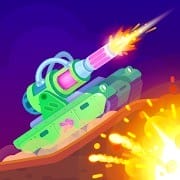
Tank Stars – arcade game, offering the player to participate in tank duels. Driving a caterpillar machine, the user will try to destroy equipment of the enemy with accurate shots from a gun. For hitting the target it is necessary to follow the trajectory of the projectile, so before the shot to direct the cannon at the correct angle. Choose a weapon and make your guns target perfectly! Find the right shooting angle and unleash your iron force on your foe’s war machines! Make the right shot quickly or you’ll lose!
Download Links
Mod Info
- Unlimited Money
Additional Information
Developer
CASUAL AZUR GAMES
Version
2.20.0
Release / Update Date
Jul 20, 2026
Rating
4.8
How to install Tank Stars MOD APK 2.20.0
Tank Stars 2.20.0 is an Action game by CASUAL AZUR GAMES, and this MOD version comes with Unlimited Money. The download file is Tank-Stars-2.20.0-MOD-APK-Unlimited-Money.apk (129 MB) and runs on Android 8.0 or newer. On Google Play the original Tank Stars has a 4.8-star rating from 2.83M reviews and 100,000,000+ installs.
- Start the download of
Tank-Stars-2.20.0-MOD-APK-Unlimited-Money.apkusing the button above (129 MB). - Make sure your phone has about 330 MB of free storage: Android needs extra room to unpack the 129 MB file during installation.
- If the original Tank Stars from Google Play is installed (
com.playgendary.tanks), uninstall it first. The MOD uses the same package name but a different signature, so Android will not install it over the original. Before uninstalling, link your Tank Stars progress to Google Play Games or the account option in the game settings so you can restore it.



























