Screenshots

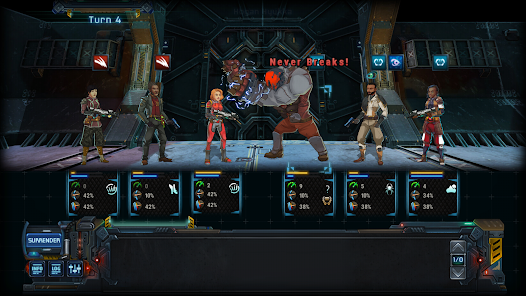


About This App
Description: You are the captain of a spaceship traveling across the vast open universe. Customize your crew and take command of your own ship as you explore a galaxy torn by internal strife, alien threats and political intrigue. Features: * Explore a rich, open universe: discover endless procedurally generated galactic maps, meet unique characters and take on enemies to conquer the galaxy! * Become an intergalactic captain: Become a spy, smuggler, explorer, pirate, merchant, bounty hunter and more (26 quests total)! * Customize Your Own Spaceship: Choose from over 350 upgrades and 45 ship hulls to build your own ship to travel across vast expanses. * Collect and form a loyal crew: assign talents and equip specialized equipment for each member of the spacecraft crew. * Experience an ever*changing narrative: Choose to befriend or befriend other factions and influence political, economic and personal revenge. Supported Android Versions:- Jelly Bean(4.1–4.3.1)- KitKat (4.4–4.4.4)- Lollipop (5.0–5.0.2) – Marshmallow (6.0 – 6.0.1) – Nougat (7.0 – 7.1.1) – Oreo (8.0-8.1) – Pie (9.0)
Download Links
Mod Info
- Full game
Additional Information
Developer
Trese Brothers
Version
3.4.39
Release / Update Date
Rating
4.5
How to install Star Traders Frontiers MOD APK 3.4.39
Star Traders Frontiers 3.4.39 is a Role Playing game by Trese Brothers, and this MOD version comes with Full game. The download file is Star-Traders-Frontiers-3.1.35.apk (212 MB). On Google Play the original Star Traders Frontiers has a 4.5-star rating from 3.28K reviews and 50,000+ installs.
- Download Star Traders Frontiers 3.4.39 from the list above - the file is 212 MB.
- Make sure your phone has about 530 MB of free storage: Android needs extra room to unpack the 212 MB file during installation.
- If the original Star Traders Frontiers from Google Play is installed (
com.tresebrothers.games.startraders2), uninstall it first. The MOD uses the same package name but a different signature, so Android will not install it over the original. Before uninstalling, link your Star Traders Frontiers progress to Google Play Games or the account option in the game settings so you can restore it.