Screenshots




About This App
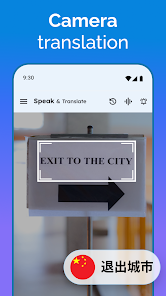
Speak and Translate is an application that helps you easily translate speech in conversations. It also supports many other translation modes and works well with more than 100 languages. This application will facilitate activities such as browsing websites, casting an online vote, playing a game, processing hundreds of files with a mouse, and casting an online ballot. Because of this, you will have more time to spend on activities that are really important to you and less time to waste on unimportant errands.
Download Links
Mod Info
- unlocked
- premium
Additional Information
Developer
Battery Stats Saver
Version
8.1.4.2
Release / Update Date
Rating
4.6
How to install Speak and Translate MOD APK 8.1.4.2
Speak and Translate 8.1.4.2 is a Communication app by Battery Stats Saver, and this MOD version comes with unlocked, premium. The download file is Speak-and-Translate-Premium-MOD-APK-Unlocked-7.0.6.apk. On Google Play the original Speak and Translate has a 4.6-star rating from 282K reviews and 10,000,000+ installs.
- Tap the first download link above to get
Speak-and-Translate-Premium-MOD-APK-Unlocked-7.0.6.apk. - If the original Speak and Translate from Google Play is installed (
com.speaktranslate.tts.speechtotext.voicetyping.translator), uninstall it first. The MOD uses the same package name but a different signature, so Android will not install it over the original. - Give your browser permission to install apps: Settings > Apps > Special app access > Install unknown apps > choose your browser > Allow.