Screenshots


About This App
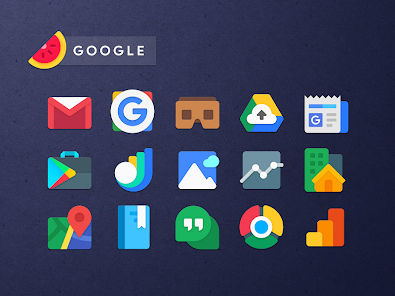
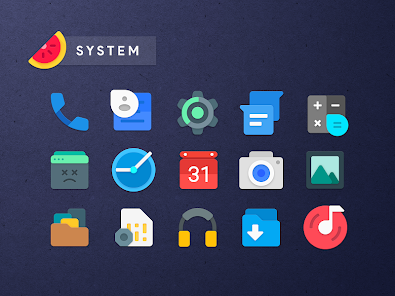
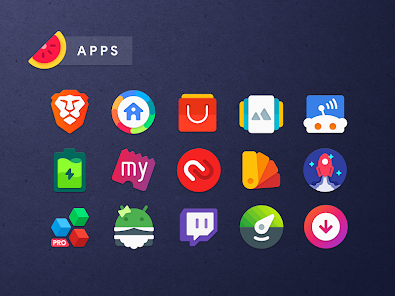
The sliced icon pack will be a suitable choice. This app provides your phone with a treasure trove of colorful icon packs and wallpapers. The app makes your phone feel like you’re wearing a new shirt, increases the fun of every contact using your phone’s features, and continuously updates every day to bring innovation to users. Everyone should know whether to preview or install a suitable launcher before installing the app. Sliced Icons is a new Material Design icon pack with precision-sliced icons and a vibrant color palette. Gives your UI a cohesive and colorful look. Each icon is designed to perfection and follows Google’s Material Design language FEATURES: – 2570 beautifully designed icons – Icons inspired by material design – 20 cloud-based wallpapers – Folder icons – Slick Blueprint dashboard app by Jahir Fiquitiva – Icons designed in crisp 192×192 resolution – Support for every major launcher – Icon request tool Supported Android Versions:- Jelly Bean(4.1-4.3.1)- KitKat (4.4-4.4.4)- Lollipop (5.0-5.0.2) – Marshmallow (6.0-6.0.1) – Nougat (7.0-7.1.1) – Oreo (8.0-8.1) – Pie (9.0) – Android 10 – Android 11
Download Links
Mod Info
- patched
Additional Information
Developer
Rahul K Dinesh
Version
2.3.7
Release / Update Date
Rating
4.7
How to install Sliced Icon Pack MOD APK 2.3.7
Sliced Icon Pack 2.3.7 is a Personalization app by Rahul K Dinesh, and this MOD version comes with patched. The download file is Sliced-Icon-Pack-APK-Patched-2.3.3.apk. On Google Play the original Sliced Icon Pack has a 4.7-star rating from 253 reviews and 5,000+ installs.
- Download Sliced Icon Pack 2.3.7 from the list above.
- If the original Sliced Icon Pack from Google Play is installed (
com.b16h22.sliced), uninstall it first. The MOD uses the same package name but a different signature, so Android will not install it over the original. - Give your browser permission to install apps: Settings > Apps > Special app access > Install unknown apps > choose your browser > Allow.