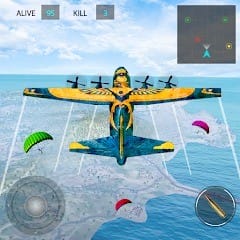
Screenshots

About This App
Description:
* SIERRA 7 puts you in the role of a tactical operator caught in the middle of a war.
This is not a mission for the faint of heart. You will find yourself in the line of fire against a tough and determined enemy linked to militia leaders and madmen willing to die for their cause.
Are you the right person for this job?
* SIERRA 7 is a tactical first person shooter on a rail.
The super stylish minimalist aesthetic lets you focus on variety
and random fire fights that perfectly combine realism and arcade
gameplay together in a fast, exciting and intense experience.
Features:
* Enjoy FREE tactical and exciting gameplay
* 12+ hour campaign
* Fast realism meets Arcade Gameplay
* Customizable character with equipment and weapons
* Amazing real world firearms
* Unique and varied missions
* Impressive weapon sounds and animations
* Beautifully animated enemies
Supported Android Versions:-
Jelly Bean(4.1–4.3.1)- KitKat (4.4–4.4.4)- Lollipop (5.0–5.0.2) – Marshmallow (6.0 – 6.0.1) – Nougat (7.0 – 7.1.1) – Oreo (8.0-8.1) – Pie (9.0)
Download Links
How to install SIERRA 7 Tactical Shooter MOD APK 0.0.318
SIERRA 7 Tactical Shooter 0.0.318 is an Action game. The download file is sierra-7-tactical-shooter-v0.0.318-mod.apk (98 MB).
- Start the download of
sierra-7-tactical-shooter-v0.0.318-mod.apkusing the button above (98 MB). - Make sure your phone has about 250 MB of free storage: Android needs extra room to unpack the 98 MB file during installation.
- If the original SIERRA 7 Tactical Shooter from Google Play is installed (
air.com.shdgames.sierra7.gp), uninstall it first. The MOD uses the same package name but a different signature, so Android will not install it over the original. Before uninstalling, link your SIERRA 7 Tactical Shooter progress to Google Play Games or the account option in the game settings so you can restore it.