Screenshots
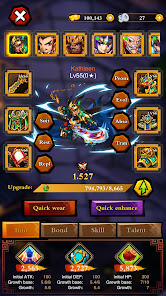


About This App
Scuffle Officer Mod APK – Grow your officer force and engage in the fight. There are many possible generals to choose from, and the SSR generals are eager to work for you. We have generals like Luu Bei, Guan Yu, Zhang Fei, Zhao Yun, Cao Cao, and Dong Zhuo ready to join the RSS under your command. Even an unknown soldier who was well prepared could beat Lu Bu Sanying. The three main armies of Wei, Shu, and Wu, as well as government officials and generals, had gathered to wait for the owner. Wuhun’s reputation is unmatched; he chooses smart generals and assembles a strong army.
Download Links
Mod Info
- Unlimited Money
How to install Scuffle Officer MOD APK 2.0.5
Scuffle Officer 2.0.5 is a Card game, and this MOD version comes with Unlimited Money. The download file is Scuffle officer_2.0.5_mod.apk.
- Tap the first download link above to get
Scuffle officer_2.0.5_mod.apk. - If the original Scuffle Officer from Google Play is installed, uninstall it first. The MOD uses the same package name but a different signature, so Android will not install it over the original. Before uninstalling, link your Scuffle Officer progress to Google Play Games or the account option in the game settings so you can restore it.
- Allow the installation: Settings > Apps > Special app access > Install unknown apps, then enable it for your browser or file manager.