


Screenshots




About This App
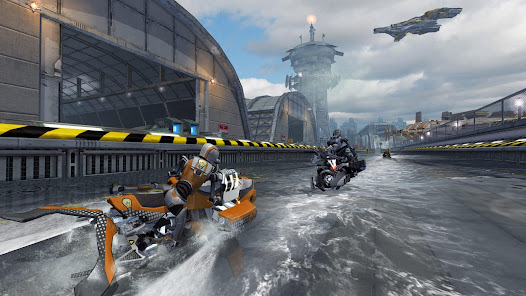
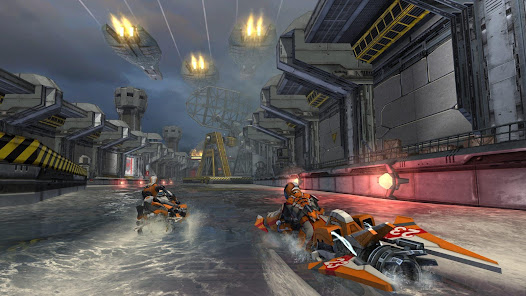
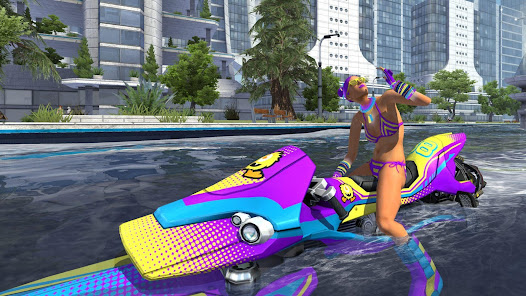
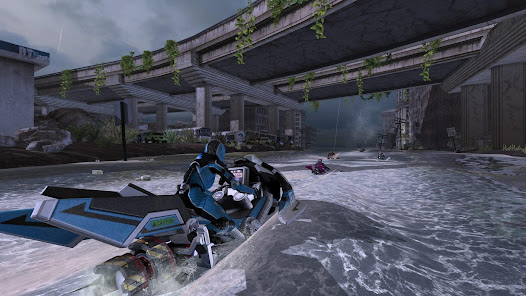
Racing games are always the preferred choice for gamers who love extreme sports, especially those with a passion for speed. That is why many racing games have been born and occupy colossal popularity. Specifically, Riptide GP: Renegade, a top-notch racing game, carefully polished from the content side to the best quality of graphics and sound effects, promises not to disappoint you. Coming to this game, players will play the role of a famous counter-spin racer, but unfortunately, they have to be eliminated from the professional tournament.
Download Links
Mod Info
- Unlimited Money
Additional Information
Developer
Vector Unit
Version
2025.09.16
Release / Update Date
Rating
4.4
How to install Riptide GP Renegade MOD APK 2025.09.16
Riptide GP Renegade 2025.09.16 is a Racing game by Vector Unit, and this MOD version comes with Unlimited Money. The download file is Riptide-GP-Renegade-mod-apk-Unlimited-Money-2022.11.02.apk. On Google Play the original Riptide GP Renegade has a 4.4-star rating from 13.5K reviews and 500,000+ installs.
- Download Riptide GP Renegade 2025.09.16 from the list above.
- If the original Riptide GP Renegade from Google Play is installed (
com.vectorunit.silver.googleplay), uninstall it first. The MOD uses the same package name but a different signature, so Android will not install it over the original. Before uninstalling, link your Riptide GP Renegade progress to Google Play Games or the account option in the game settings so you can restore it. - Allow the installation: Settings > Apps > Special app access > Install unknown apps, then enable it for your browser or file manager.
























