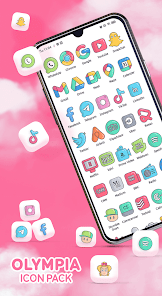
Screenshots

About This App
Rest provides users with a simple interface that creates a simple and streamlined interface for users. Instead of making the interface confusing with a series of different colors. The app gives you two main colors, black and yellow, which are not too bright and not too dark to provide the most pleasing viewing. Apart from the basic features that it brings, there are many exciting things that the app can bring you during the experience. All the icons are 192×192 in size and are manually drawn and thus will appear on your screen without any issues.
FEATURES:
– More than 2500 highly detailed icons
– 8 QHD cloud wallpapers
– Regular updates
– Request icon tool to sort missing icons
– Dynamic calendars
– Muzei support
Supported Android Versions:-
Jelly Bean(4.1-4.3.1)- KitKat (4.4-4.4.4)- Lollipop (5.0-5.0.2) – Marshmallow (6.0-6.0.1) – Nougat (7.0-7.1.1) – Oreo (8.0-8.1) – Pie (9.0) – Android 10 – Android 11
Download Links
Mod Info
- paid
How to install Rest icon pack MOD APK 3.4.2
Rest icon pack 3.4.2 is a Personalization app, and this MOD version comes with paid. The download file is Rest_v3.5.9_P.apk (28 MB).
- Tap the first download link above to get
Rest_v3.5.9_P.apk(28 MB). - Make sure your phone has about 80 MB of free storage: Android needs extra room to unpack the 28 MB file during installation.
- If the original Rest icon pack from Google Play is installed (
erega74.sltheme.rest), uninstall it first. The MOD uses the same package name but a different signature, so Android will not install it over the original.