Screenshots
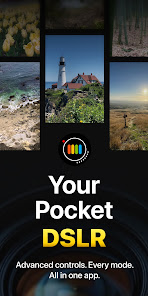


About This App
ProShot – an application that will become a high-quality alternative to the standard program for photography. With its help, all users will be able to obtain high-quality images, regardless of how good the camera is. To achieve high quality, many settings and functions are implemented here. Automatic, Program, Manual and two fully configurable custom modes, as well as a DSLR Manual, semi-manual or automatic control over exposure, flash, focus, ISO, shutter speed, flashlight and white balance. You can shoot in various formats, and a flexible system of options will help improve the result, including a shutter speed system, multiple shooting modes, and other useful features. Supported Android Versions:- Jelly Bean(4.1–4.3.1)- KitKat (4.4–4.4.4)- Lollipop (5.0–5.0.2) – Marshmallow (6.0 – 6.0.1) – Nougat (7.0 – 7.1.1) – Oreo (8.0-8.1) – Pie (9.0)
Download Links
Mod Info
- paid
How to install ProShot MOD APK 8.32
ProShot 8.32 is a Photography app by Rise Up Games, and this MOD version comes with paid. The download file is ProShot-APK-8.23.4.1.apk. On Google Play the original ProShot has a 4.3-star rating from 18.3K reviews and 500,000+ installs.
- Tap the first download link above to get
ProShot-APK-8.23.4.1.apk. - If the original ProShot from Google Play is installed (
com.riseupgames.proshot2), uninstall it first. The MOD uses the same package name but a different signature, so Android will not install it over the original. - Allow the installation: Settings > Apps > Special app access > Install unknown apps, then enable it for your browser or file manager.