Screenshots

Screenshot 1 for Poppin icon pack MOD APK 2.6.0 PAID/Patched
Screenshot 2 for Poppin icon pack MOD APK 2.6.0 PAID/Patched
Screenshot 3 for Poppin icon pack MOD APK 2.6.0 PAID/Patched
Screenshot 4 for Poppin icon pack MOD APK 2.6.0 PAID/Patched
Screenshot 5 for Poppin icon pack MOD APK 2.6.0 PAID/Patched
Screenshot 6 for Poppin icon pack MOD APK 2.6.0 PAID/Patched
Screenshot 7 for Poppin icon pack MOD APK 2.6.0 PAID/Patched
Screenshot 8 for Poppin icon pack MOD APK 2.6.0 PAID/Patched

About This App

Poppin icon pack mod apk1
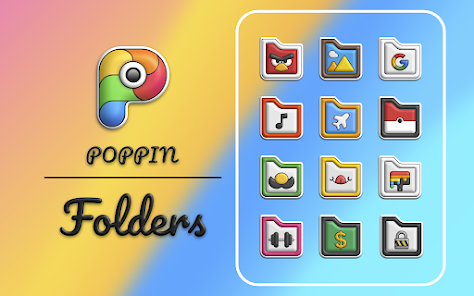
Poppin Icon Pack is delivered in FULL VERSION, “in-app purchases” are reserved for donations, which means there are no paid features. With the function of turning all the applications that you have on your device into hand-drawn icons, you will have completely new experiences and freedom to choose according to your preferences. The application interface is also easy to use and accessible to anyone. Supported Android Versions:- Jelly Bean(4.1–4.3.1)- KitKat (4.4–4.4.4)- Lollipop (5.0–5.0.2) – Marshmallow (6.0 – 6.0.1) – Nougat (7.0 – 7.1.1) – Oreo (8.0-8.1) – Pie (9.0)
Mod Info
  • patched
  • paid

Additional Information

Developer
Bludocs
Version
2.8.2
Release / Update Date
Rating
4.8
Show more

How to install Poppin icon pack MOD APK 2.8.2

Poppin icon pack 2.8.2 is a Personalization app by Bludocs, and this MOD version comes with patched, paid. The download file is Poppin-icon-pack-MOD-APK-PAID-Patched-2.6.0.apk. On Google Play the original Poppin icon pack has a 4.8-star rating from 1.36K reviews and 10,000+ installs.

  1. Download Poppin icon pack 2.8.2 from the list above.
  2. If the original Poppin icon pack from Google Play is installed (bludocs.iconpack.poppin), uninstall it first. The MOD uses the same package name but a different signature, so Android will not install it over the original.
  3. Give your browser permission to install apps: Settings > Apps > Special app access > Install unknown apps > choose your browser > Allow.