Screenshots
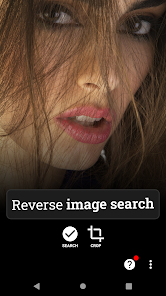


About This App
Photo Sherlock Search by photo is an application that can provide users with the ability to find information about photos. With various search engines from many different sources, users will get more information about photos from the internet. The app provides search by image taken from camera or gallery. Photo Sherlock Search by photo is a special application that makes it easy for users to search by image. If you own a photo of yourself and want to learn more about it, then this will be a beneficial app that can help you. This app will get special features that will allow you to search and edit for best results. FEATURES: – Reverse image search – Custom camera to take photos quickly and easily – Ability to choose photo from gallery. – Search by image with different search engines – Ability to crop the image before searching to remove unwanted regions – Possibility to rotate the image before searching – Image size is automatically reduced to provide a fast browsing experience – Built-in web browser to conveniently navigate between search results with page back, page forward and reload actions Supported Android Versions:- Jelly Bean(4.1-4.3.1)- KitKat (4.4-4.4.4)- Lollipop (5.0-5.0.2) – Marshmallow (6.0-6.0.1) – Nougat (7.0-7.1.1) – Oreo (8.0-8.1) – Pie (9.0) – Android 10 – Android 11
Download Links
Mod Info
- unlocked
- pro
How to install Photo Sherlock Search by photo MOD APK 1.129
Photo Sherlock Search by photo 1.129 is a Photography app by appsmotor AI, and this MOD version comes with unlocked, pro. The download file is Photo-Sherlock-Search-by-photo-Pro-APK-MOD-Unlocked-1.67.apk. On Google Play the original Photo Sherlock Search by photo has a 4.0-star rating from 54.5K reviews and 5,000,000+ installs.
- Tap the first download link above to get
Photo-Sherlock-Search-by-photo-Pro-APK-MOD-Unlocked-1.67.apk. - If the original Photo Sherlock Search by photo from Google Play is installed (
hippeis.com.photochecker), uninstall it first. The MOD uses the same package name but a different signature, so Android will not install it over the original. - Give your browser permission to install apps: Settings > Apps > Special app access > Install unknown apps > choose your browser > Allow.