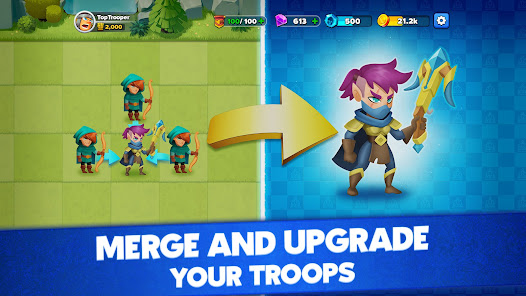
Screenshots

About This App
Description:
Breed and train monsters of all elements and rarities! Build your combat strength and face the ultimate challenge: battles with other monster masters!
Discover the Monster Legends universe and the history of its inhabitants. Start by building a city for your monsters, fill it with habitats and breed new species! Then collect monsters and choose your strategy in action packed battles.
UNIQUE MONSTERS ARE WAITING
– Collect over 900 monsters: new monsters appear every week!
– Breed monsters of different elements and rarities to create cool new species.
– Get amazing monsters of all types in limited-time game events.
DEVELOPMENT AND RPG STRATEGY
– Level up your monsters in the battles to come and rank them in the Monster Lab.
– Increase the power of your monsters with runes, relics, beasts and talents to get the upper hand in battle.
– Set your strategy by combining attackers, tanks and control monsters.
REAL-TIME MULTIPLAYER BATTLES
– Take on other monster masters in real-time live duels.
– Fight in multiplayer for trophies, rewards and a chance to reach the top leagues.
– Fight your way through the Era Saga dungeons to discover the history of Monster Legends.
Supported Android Versions:-
Jelly Bean(4.1–4.3.1)- KitKat (4.4–4.4.4)- Lollipop (5.0–5.0.2) – Marshmallow (6.0 – 6.0.1) – Nougat (7.0 – 7.1.1) – Oreo (8.0-8.1) – Pie (9.0)
Download Links
How to install Monster Legends MOD APK 12.0.3
Monster Legends 12.0.3 is a Strategy game. The download file is Monsters_Legend_v13.1.1-mod.apk (131 MB).
- Download Monster Legends 12.0.3 from the list above - the file is 131 MB.
- Make sure your phone has about 330 MB of free storage: Android needs extra room to unpack the 131 MB file during installation.
- If the original Monster Legends from Google Play is installed (
es.socialpoint.MonsterLegends), uninstall it first. The MOD uses the same package name but a different signature, so Android will not install it over the original. Before uninstalling, link your Monster Legends progress to Google Play Games or the account option in the game settings so you can restore it.