Screenshots

About This App
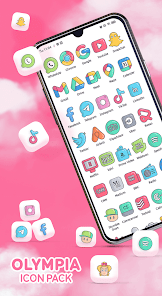
Coming to Meeye, users will have many modern features that this app offers. All information and images here will be updated safely and continuously. With the click of a button, you can complete the goal you set for yourself. Each feature will bring you great benefit. MeeGo style icons with a refreshed, more modern look. The adorable unique squirrel shape created by the original MeeGo designers. The clean and unified style drawn in vectors. High-resolution icons and hand-picked wallpapers.
FEATURES:
– Update guaranteed, regular updates
– Unique squirrel-shaped icons from MeeGo
– High resolution icons 192×192
– Icons made by hand by our professional designers.
– Handpicked high resolution wallpapers
– Modern dashboard where you can review and search for icons
– Send icon requests
Supported Android Versions:-
Jelly Bean(4.1-4.3.1)- KitKat (4.4-4.4.4)- Lollipop (5.0-5.0.2) – Marshmallow (6.0-6.0.1) – Nougat (7.0-7.1.1) – Oreo (8.0-8.1) – Pie (9.0) – Android 10 – Android 11
Download Links
Mod Info
- patched
How to install Meeye Classic MeeGo icon pack MOD APK 6.3
Meeye Classic MeeGo icon pack 6.3 is a Personalization app, and this MOD version comes with patched. The download file is Meeye_v5.8.5_P.apk (58 MB).
- Start the download of
Meeye_v5.8.5_P.apkusing the button above (58 MB). - Make sure your phone has about 150 MB of free storage: Android needs extra room to unpack the 58 MB file during installation.
- If the original Meeye Classic MeeGo icon pack from Google Play is installed (
com.yeyebbc.play.meeye.iconpack), uninstall it first. The MOD uses the same package name but a different signature, so Android will not install it over the original.