

Meditation Lojong Premium MOD APK 2.9.6 Unlocked
Lojong Meditation, Mindfulness and Sleep
 हिन्दी
Hindi
 Русский
Russian
 Bahasa Indonesia
Indonesian
 Tiếng Việt
Vietnamese
 Português
Portuguese
 Türkçe
Turkish
 Español
Spanish
 اردو
Urdu
 বাংলা
Bengali
 فارسی
Persian
 Українська
Ukrainian
 ภาษาไทย
Thai
 العربية
Arabic
 Polski
Polish
 Français
French
 Deutsch
German
 Italiano
Italian
 Bahasa Melayu
Malay
 日本語
Japanese
 中文
Chinese
 Tagalog
 Nederlands
Dutch
 Română
Romanian






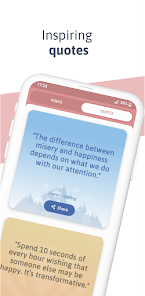
Meditation Mindfulness: Lojong Mod APK is an application that brings users moments of relaxation, peace, happiness and joy through a new way of mindfulness meditation. Meditation is easy, there is something for everyone. Congratulations for finding meditation. Bring happiness and joy into your life through a new way of mindfulness meditation with just a few minutes a day with the Lojong app. Mindfulness meditation brings about a complete transformation of the mind. Understand why meditation is important and learn how to cultivate this habit into your daily life. Mindfulness Meditation: Lojong is a perfect choice for those seeking tranquility, reducing stress and improving sleep quality. Immerse yourself in practices that bring us moments of relaxation; Mindfulness meditation enables us to live a happy and peaceful life.
FEATURES:
– Relief from anxiety
– Relax your mind and body
– Coping with stress
– Focus your mind and increase your concentration and productivity
– Better relationships
– Improve your sleep quality with good sleep
– Luck
– gratitude
– Less anger
– More silence
Supported Android Versions:-
Jelly Bean(4.1-4.3.1)- KitKat (4.4-4.4.4)- Lollipop (5.0-5.0.2) – Marshmallow (6.0-6.0.1) – Nougat (7.0-7.1.1) – Oreo (8.0-8.1) – Pie (9.0) – Android 10 – Android 11
Meditation Lojong 3.8.1 is a Health & Fitness app by Lojong Meditation, Mindfulness and Sleep, and this MOD version comes with unlocked, premium. The download file is Lojong. On Google Play the original Meditation Lojong has a 4.7-star rating from 119K reviews and 1,000,000+ installs.
Lojong using the button above.Lojong from Google Play is installed (br.com.lojong), uninstall it first. The MOD uses the same package name but a different signature, so Android will not install it over the original.
























