Screenshots
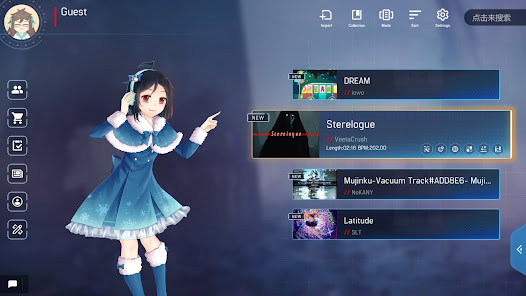


About This App
MalodyV APK, a music game (simulator) that can be played on multiple platforms. In 2014, Malody was introduced to the public for the first time and released with Key mode. The following styles are now supported: Key, Catch, Pad, Taiko, Ring, Slide, and Live. Each mode features a graphics editor with all the bells and whistles, an online ranking system, and the option to play in a multiplayer room with other players from around the world. As we transition from the previous version of Malody to Malody V, we completely redesigned the game and implemented a new engine. In the previous version, we found and fixed hundreds of issues.
Download Links
Mod Info
- Full game
How to install MalodyV MOD APK 5.1.3
MalodyV 5.1.3 is a Music app, and this MOD version comes with Full game. The download file is Malody V v5.1.1 [Mod].apk.
- Download MalodyV 5.1.3 from the list above.
- If the original MalodyV from Google Play is installed, uninstall it first. The MOD uses the same package name but a different signature, so Android will not install it over the original.
- Allow the installation: Settings > Apps > Special app access > Install unknown apps, then enable it for your browser or file manager.