Screenshots


About This App
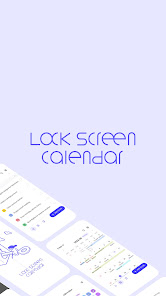
LockScreen Calendar – Schedule is an application that helps you manage the tasks that you need to do for different days. You’ll know your schedule for each day and schedule time to get what needs to be done. At the same time, there are many ways to remember tasks and settings that you can configure to make your experience more seamless. In addition to managing recurring schedules, use it across multiple platforms in conjunction with Google Calendar. You can create tasks and schedules in the form of calendars and lists, and manage them by folder. Supported Android Versions:- Jelly Bean(4.1-4.3.1)- KitKat (4.4-4.4.4)- Lollipop (5.0-5.0.2) – Marshmallow (6.0-6.0.1) – Nougat (7.0-7.1.1) – Oreo (8.0-8.1) – Pie (9.0) – Android 10 – Android 11
Mod Info
- unlocked
- premium
How to install LockScreen Calendar Schedule MOD APK 2.1.10
LockScreen Calendar Schedule 2.1.10 is a Productivity app by Wafour Lock2, and this MOD version comes with unlocked, premium. The download file is LockScreen-Calendar-Schedule-APK-MOD-Premium-Unlocked-2.0.17.apk. On Google Play the original LockScreen Calendar Schedule has a 4.2-star rating from 2.41K reviews and 1,000,000+ installs.
- Download LockScreen Calendar Schedule 2.1.10 from the list above.
- If the original LockScreen Calendar Schedule from Google Play is installed (
com.wafour.todo), uninstall it first. The MOD uses the same package name but a different signature, so Android will not install it over the original. - Give your browser permission to install apps: Settings > Apps > Special app access > Install unknown apps > choose your browser > Allow.