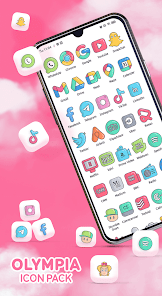
Screenshots

About This App
iPhone Launcher pleases many users: the smart search of the application. When there are so many applications on mobile devices, you will have trouble not finding the necessary software in time, so we have found the right solution for you. Just a delicate operation: swipe down the screen and type the name to find the necessary tools or applications; appears immediately in the search box.
FEATURES:
– All in one
– Smart search
– Smart group
– Change the icon
– The status bar of the custom status bar is changed with a new style
– gestures
– customization
– Swipe down to show the notification bar
Supported Android Versions:-
Jelly Bean(4.1–4.3.1)- KitKat (4.4–4.4.4)- Lollipop (5.0–5.0.2) – Marshmallow (6.0 – 6.0.1) – Nougat (7.0 – 7.1.1) – Oreo (8.0-8.1) – Pie (9.0)
Download Links
Mod Info
- unlocked
How to install Launcher iPhone MOD APK 8.1.1
Launcher iPhone 8.1.1 is a Personalization app, and this MOD version comes with unlocked. The download file is Launcher-xPhone-v9.2.5-Premium.apk (35 MB).
- Download Launcher iPhone 8.1.1 from the list above - the file is 35 MB.
- Make sure your phone has about 90 MB of free storage: Android needs extra room to unpack the 35 MB file during installation.
- If the original Launcher iPhone from Google Play is installed (
com.xos.iphonex.iphone.applelauncher), uninstall it first. The MOD uses the same package name but a different signature, so Android will not install it over the original.