


Screenshots





About This App
Description:
TIME TO HIT THE FLOOR IN INTENSIVE RACING TO THE HORIZON!
* Rebuilt and updated user interface
* Extended free trial experience
* Update for devices with 16: 9 and 21: 9 screens
* A continuous flow of updates and new challenges!
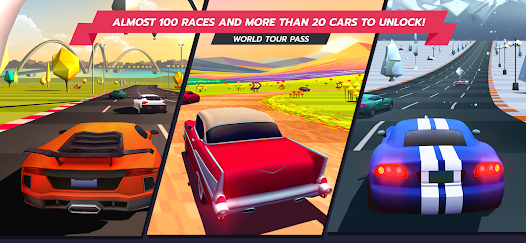
This is a paid game, but you have the opportunity to try it out before buying. Enjoy 30 tracks and 7 cars for free to experience the “Android Excellence Game of 2017”.
“ONE OF THE BEST 10 MOBILE GAMES OF THE YEAR!” * Prizes
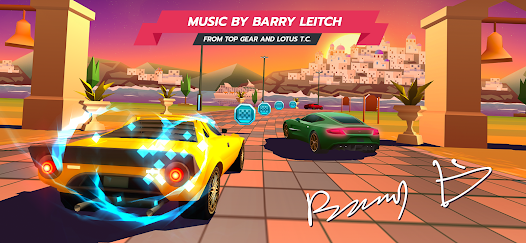
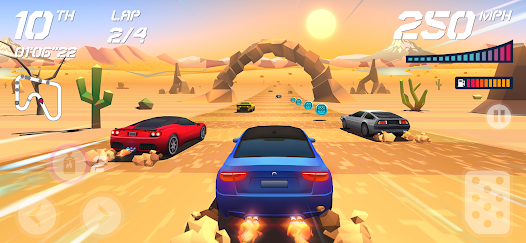
Horizon Chase is a love letter for all fans of retro games. This is an addictive racing game inspired by the 80’s and 90’s hits: Out Run, Lotus Turbo Challenge, Top Gear (SNES), Rush. Every curve and every lap in Horizon Chase plays a classic arcade game and offers unlimited fun speed limits. Turn on the throttle and enjoy!
Features:
* Try before you buy: enjoy 5 songs for free!
* Classic arcade game
* New 16*bit graphics
* Barry Leitch soundtrack
* Challenge your friends
Supported Android Versions:-
Jelly Bean(4.1–4.3.1)- KitKat (4.4–4.4.4)- Lollipop (5.0–5.0.2) – Marshmallow (6.0 – 6.0.1) – Nougat (7.0 – 7.1.1) – Oreo (8.0-8.1) – Pie (9.0)
Download Links
Additional Information
Developer
Aquiris Game Studio SA
Version
2.6.9
Release / Update Date
N/A
Rating
4.1
How to install Horizon Chase World Tour MOD APK 2.6.9
Horizon Chase World Tour 2.6.9 is a Racing game by Aquiris Game Studio SA. The download file is horizon-chase-world-tour-v1-6-2-mod.apk (34 MB). On Google Play the original Horizon Chase World Tour has a 4.1-star rating from 304K reviews and 10,000,000+ installs.
- Tap the first download link above to get
horizon-chase-world-tour-v1-6-2-mod.apk(34 MB). - Make sure your phone has about 90 MB of free storage: Android needs extra room to unpack the 34 MB file during installation.
- If the original Horizon Chase World Tour from Google Play is installed (
com.aquiris.horizonchase), uninstall it first. The MOD uses the same package name but a different signature, so Android will not install it over the original. Before uninstalling, link your Horizon Chase World Tour progress to Google Play Games or the account option in the game settings so you can restore it.
























