Screenshots
About This App
Description:
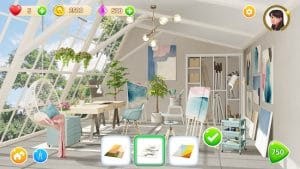
Ever wanted to know what it’s like to run your own interior design studio? Now you can with the newest home design game, Homecraft by TapBlaze! Try to fulfill the client’s request, remaining faithful to the interior decorator’s intuition. Become a master craftsman in your neighborhood… your city… your country… your world!
FEATURES
– 1000 different home decor items
– Home design simulation with 3 puzzle challenges
– Unique homes and customers
– Stylish furniture and accessories to decorate your home
– Unlock rewards as you improve your home design skills as an interior decorator
– Nice story and relaxing gameplay
Supported Android Versions:-
Jelly Bean(4.1–4.3.1)- KitKat (4.4–4.4.4)- Lollipop (5.0–5.0.2) – Marshmallow (6.0 – 6.0.1) – Nougat (7.0 – 7.1.1) – Oreo (8.0-8.1) – Pie (9.0)
Download Links
How to install Homecraft Home Design Game MOD APK 1.19.1
Homecraft Home Design Game 1.19.1 is a Simulation game. The download file is homecraft-home-design-game-1.27.2-mod.apk (136 MB).
- Download Homecraft Home Design Game 1.19.1 from the list above - the file is 136 MB.
- Make sure your phone has about 350 MB of free storage: Android needs extra room to unpack the 136 MB file during installation.
- If the original Homecraft Home Design Game from Google Play is installed (
com.tapblaze.homecraft), uninstall it first. The MOD uses the same package name but a different signature, so Android will not install it over the original. Before uninstalling, link your Homecraft Home Design Game progress to Google Play Games or the account option in the game settings so you can restore it.