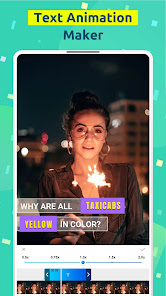
Screenshots

Screenshot 1 for GoCut Effect Video Editor MOD APK 3.0.2 Premium Unlocked
Screenshot 2 for GoCut Effect Video Editor MOD APK 3.0.2 Premium Unlocked
Screenshot 3 for GoCut Effect Video Editor MOD APK 3.0.2 Premium Unlocked
Screenshot 4 for GoCut Effect Video Editor MOD APK 3.0.2 Premium Unlocked
Screenshot 5 for GoCut Effect Video Editor MOD APK 3.0.2 Premium Unlocked
Screenshot 6 for GoCut Effect Video Editor MOD APK 3.0.2 Premium Unlocked
Screenshot 7 for GoCut Effect Video Editor MOD APK 3.0.2 Premium Unlocked
Screenshot 8 for GoCut Effect Video Editor MOD APK 3.0.2 Premium Unlocked

About This App

Gocut effect video editor mod1
GoCut’s editing capabilities are top notch as it is easy to use, refined and polished to provide the best user experience when editing a multitude of different videos. Cut the video according to the length you need. You can also trim videos to seconds precision easily, split videos on the timeline, or split videos into multiple clips. Easily overlay images into clips, adjust speed, add music / stickers / text to your amazing work. CapCut – Free Scribble Effect Video Editing App. Trim videos without losing quality. Supported Android Versions:- Jelly Bean(4.1–4.3.1)- KitKat (4.4–4.4.4)- Lollipop (5.0–5.0.2) – Marshmallow (6.0 – 6.0.1) – Nougat (7.0 – 7.1.1) – Oreo (8.0-8.1) – Pie (9.0)
Mod Info
  • Premium Unlocked

Additional Information

Developer
Like GoCut
Version
3.0.4
Release / Update Date
Rating
4.5
Show more

How to install GoCut Effect Video Editor MOD APK 3.0.4

GoCut Effect Video Editor 3.0.4 is a Video Players & Editors app by Like GoCut, and this MOD version comes with Premium Unlocked. The download file is GoCut-Effect-Video-Editor-MOD-APK-Premium-Unlocked-3.0.2.apk. On Google Play the original GoCut Effect Video Editor has a 4.5-star rating from 73.2K reviews and 10,000,000+ installs.

  1. Download GoCut Effect Video Editor 3.0.4 from the list above.
  2. If the original GoCut Effect Video Editor from Google Play is installed (com.videoedit.gocut), uninstall it first. The MOD uses the same package name but a different signature, so Android will not install it over the original.
  3. Give your browser permission to install apps: Settings > Apps > Special app access > Install unknown apps > choose your browser > Allow.