


Screenshots




About This App
Description:
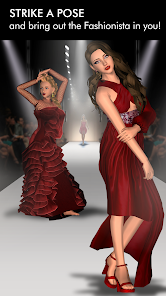
Express yourself and become a style master in an exciting 3D dressup boutique simulation!
Designed for fashion lovers of all ages, it is playable for free with in-app purchases with bonus content and premium currency, and supports offline and online play. The game is regularly updated and full of great gameplay-
Features:
– QUICK MODS to sell, mix and match and increase your fortune
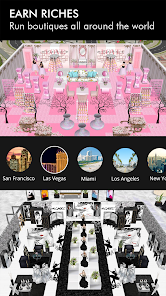
– Decorate your boutiques with thousands of gorgeous decorations
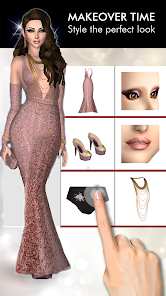
– DESIGN thousands of unique items, from elegant to sharp
– DRESS yourself and your trendy staff any way you like
– MAKEOVERS with all the latest trends in makeup and cosmetics
– COLLECT special designer, elite and signature items
– SHOP furniture – shelves, tables, shelves, displays and much more
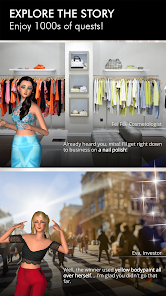
– STORY mode with fashion shows, fascinating characters and freedom
– ADVENTURE to the top with hundreds of quests in multiple cities
Supported Android Versions:-
Jelly Bean(4.1–4.3.1)- KitKat (4.4–4.4.4)- Lollipop (5.0–5.0.2) – Marshmallow (6.0 – 6.0.1) – Nougat (7.0 – 7.1.1) – Oreo (8.0-8.1) – Pie (9.0)
Download Links
Additional Information
Developer
Frenzoo
Version
2.104.29
Release / Update Date
N/A
Rating
4.4
How to install Fashion Empire Dressup Boutique Sim MOD APK 2.104.29
Fashion Empire Dressup Boutique Sim 2.104.29 is a Simulation game by Frenzoo. The download file is fashion-empire-v2.102.28-mod.apk (223 MB). On Google Play the original Fashion Empire Dressup Boutique Sim has a 4.4-star rating from 375K reviews and 10,000,000+ installs.
- Tap the first download link above to get
fashion-empire-v2.102.28-mod.apk(223 MB). - Make sure your phone has about 560 MB of free storage: Android needs extra room to unpack the 223 MB file during installation.
- If the original Fashion Empire Dressup Boutique Sim from Google Play is installed (
com.frenzoo.FashionEmpireBoutiqueGirlGame), uninstall it first. The MOD uses the same package name but a different signature, so Android will not install it over the original. Before uninstalling, link your Fashion Empire Dressup Boutique Sim progress to Google Play Games or the account option in the game settings so you can restore it.
























