Screenshots




About This App
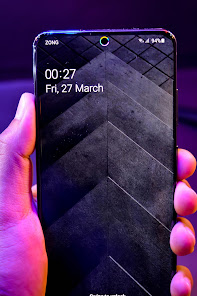
Energy Ring is a smart option that you can easily set up. Users will be overwhelmed by the special features that are always gathered in this app to satisfy human needs. Many people find it unappealing, but each feature represents a specific aspect of the device’s changing camera lenses. Adds a configurable power ring around the camera lens that indicates the current battery level. Dive into the various setting options, not only can you quickly take a look and get the battery information, but the Energy Ring adds an accent to your phone’s camera lens. Supported Android Versions:- Jelly Bean(4.1-4.3.1)- KitKat (4.4-4.4.4)- Lollipop (5.0-5.0.2) – Marshmallow (6.0-6.0.1) – Nougat (7.0-7.1.1) – Oreo (8.0-8.1) – Pie (9.0) – Android 10 – Android 11
Download Links
Additional Information
Developer
IJP
Version
ER_UNI_8.5_BETA
Release / Update Date
N/A
Rating
4.1
How to install Energy Ring Universal Edition MOD APK ER_UNI_8.5_BETA
Energy Ring Universal Edition ER_UNI_8.5_BETA is a Personalization app by IJP. The download file is Energy-Ring-Universal-Edition-APK-MOD-Donate-6.2.apk. On Google Play the original Energy Ring Universal Edition has a 4.1-star rating from 15.7K reviews and 1,000,000+ installs.
- Start the download of
Energy-Ring-Universal-Edition-APK-MOD-Donate-6.2.apkusing the button above. - If the original Energy Ring Universal Edition from Google Play is installed (
you.in.spark.energy.ring.gen), uninstall it first. The MOD uses the same package name but a different signature, so Android will not install it over the original. - Give your browser permission to install apps: Settings > Apps > Special app access > Install unknown apps > choose your browser > Allow.