Screenshots


About This App
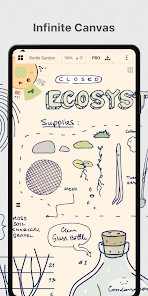
Concepts: Sketch, Note, Draw have dozens of different paper templates to choose from. They come in a variety of sizes, materials, and colors. In particular, the size of the grids on the page is also diverse, which helps players to have the most suitable option for the idea they want to draw. The vector nature of the concepts means that each stroke is editable. Pens, pencils, markers … if you mess up, just fix it with the Nudge, Slice and Select tools. Concepts is used by amazing people at Disney, Playstation, Philips, HP, Apple, Google, Unity, and Illumination Entertainment to bring concept ideas to life.
FEATURES:
– Realistic pencils, pens and brushes that respond to pressure, tilt and speed with adjustable live smoothing
– an infinite canvas with many types of paper and custom grids
– a toolbar or wheel that you can customize with your favorite tools and presets
– an infinite layer system with automatic sorting and adjustable opacity
– the COPIC color wheel helps you choose colors that look great together
– flexible vector-based sketches: move and adjust what you’ve drawn by tool, color, size, anti-aliasing and scale
– draw with live alignment and snapping tools for clean and accurate sketches
– customize everything: your canvas, tools, gestures, everything
– duplicate your work for easy iterations in the gallery and on the canvas
– drag and drop images directly onto the canvas for references or for tracking
– Export images, PDF files and vectors for printing or quick feedback between friends and clients
– More precision tools coming soon!
Supported Android Versions:-
Jelly Bean(4.1–4.3.1)- KitKat (4.4–4.4.4)- Lollipop (5.0–5.0.2) – Marshmallow (6.0 – 6.0.1) – Nougat (7.0 – 7.1.1) – Oreo (8.0-8.1) – Pie (9.0)
Download Links
Mod Info
- unlocked
Additional Information
Developer
TopHatch, Inc.
Version
2025.09.4
Release / Update Date
Rating
4.2
How to install Concepts Sketch Note Draw MOD APK 2025.09.4
Concepts Sketch Note Draw 2025.09.4 is an Art & Design app by TopHatch, Inc., and this MOD version comes with unlocked. The download file is Concepts_Sketch_Note_Draw_v2023.11.5_Patched.apk (177 MB). On Google Play the original Concepts Sketch Note Draw has a 4.2-star rating from 21.4K reviews and 5,000,000+ installs.
- Tap the first download link above to get
Concepts_Sketch_Note_Draw_v2023.11.5_Patched.apk(177 MB). - Make sure your phone has about 450 MB of free storage: Android needs extra room to unpack the 177 MB file during installation.
- If the original Concepts Sketch Note Draw from Google Play is installed (
com.tophatch.concepts), uninstall it first. The MOD uses the same package name but a different signature, so Android will not install it over the original.