Screenshots


About This App
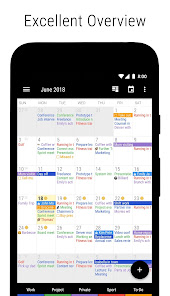
Business Calendar 2 is an advanced calendar application that specializes in helping users organize their plans and schedules effectively and is packed with various additional settings to help users effortlessly. Business Calendar 2 Pro is the premium version of our popular calendar app. It provides a great overview of your appointments, is easy to use, and gives you powerful tools to plan and schedule your events and tasks. Of course, they can organize all their work or other schedules on separate days, add content and customize everything out of the box for the best user experience.
FEATURES:
– use templates for new events and tasks
– location autocomplete using TomTom suggestions
– Move and copy events easily using drag and drop in our weekly planner
– delete, move or copy multiple events at once using multiple selection
– copy the same event to several days at once, e.g. to place your work shifts
– 22 beautiful themes for the app (eg dark theme)
– 14 unique widget themes for each widget
– individually configurable font sizes
– attach files and photos
– link contacts privately
– repeated tasks, subtasks and priorities for tasks
Supported Android Versions:-
Jelly Bean(4.1-4.3.1)- KitKat (4.4-4.4.4)- Lollipop (5.0-5.0.2) – Marshmallow (6.0-6.0.1) – Nougat (7.0-7.1.1) – Oreo (8.0-8.1) – Pie (9.0) – Android 10 – Android 11
Download Links
Mod Info
- paid
- pro
Additional Information
Developer
Appgenix Software
Version
2.53.5 Play Store Pro
Release / Update Date
Rating
4.3
How to install Business Calendar 2 MOD APK 2.53.5 Play Store Pro
Business Calendar 2 2.53.5 Play Store Pro is a Productivity app by Appgenix Software, and this MOD version comes with paid, pro. The download file is Business_Calendar-Pro-v2.40.4_build_240403-Mod.apk. On Google Play the original Business Calendar 2 has a 4.3-star rating from 2K reviews and 10,000+ installs.
- Start the download of
Business_Calendar-Pro-v2.40.4_build_240403-Mod.apkusing the button above. - If the original Business Calendar 2 from Google Play is installed (
com.appgenix.bizcal.pro), uninstall it first. The MOD uses the same package name but a different signature, so Android will not install it over the original. - Allow the installation: Settings > Apps > Special app access > Install unknown apps, then enable it for your browser or file manager.