


Screenshots

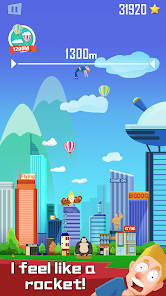
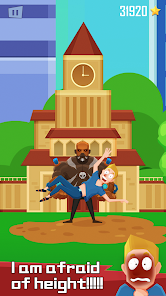


About This App
Buddy Toss was developed to create a fun game that meets the entertainment needs of gamers of all ages. The game has completely unique and easy gameplay that will give you the most enjoyable experience. The game image is relatively friendly with bright colors to help players feel the freshness of the game, creating various characters with many themes to help players choose easily. Tap to launch the man in his arms into the air and tap him again before he falls to the ground.
Mod Info
- Unlimited Stars
- unlocked
How to install Buddy Toss MOD APK 1.68
Buddy Toss 1.68 is an Action game by BIGDOG GAMES, and this MOD version comes with Unlimited Stars, unlocked. The download file is buddy-toss-v1.5.4-mod.apk (60 MB). On Google Play the original Buddy Toss has a 4.5-star rating from 160K reviews and 10,000,000+ installs.
- Download Buddy Toss 1.68 from the list above - the file is 60 MB.
- Make sure your phone has about 150 MB of free storage: Android needs extra room to unpack the 60 MB file during installation.
- If the original Buddy Toss from Google Play is installed (
game.free.rise.hole.up.io.love.balls.toss.up), uninstall it first. The MOD uses the same package name but a different signature, so Android will not install it over the original. Before uninstalling, link your Buddy Toss progress to Google Play Games or the account option in the game settings so you can restore it.



























