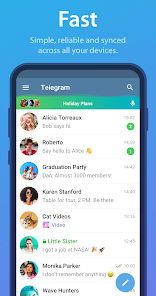
Screenshots


About This App
AUTO MESSAGE is the most basic way to automate routine tasks on your Android phone or tablet. Auto Message’s simple interface provides a basic method for performing automated tasks on your mobile device with just a few taps. It only takes a few seconds to achieve this. It’s useful because it eliminates the need to plan ahead on your own time, instead allowing you to automate and tailor jobs to your exact specifications. This will allow you to get more done in less time. This program allows you to perform tasks while doing something else, such as resting or watching television, allowing you to make better use of your time.
Download Links
Mod Info
- Premium Unlocked
How to install Auto Message MOD APK 1.5992
Auto Message 1.5992 is a Communication app, and this MOD version comes with Premium Unlocked. The download file is Auto-Message-v1.5992-Premium.apk (13 MB).
- Tap the first download link above to get
Auto-Message-v1.5992-Premium.apk(13 MB). - Make sure your phone has about 50 MB of free storage: Android needs extra room to unpack the 13 MB file during installation.
- If the original Auto Message from Google Play is installed (
com.heavenecom.smartscheduler), uninstall it first. The MOD uses the same package name but a different signature, so Android will not install it over the original.